Commissioning a mobile app: process, timeline and what to watch
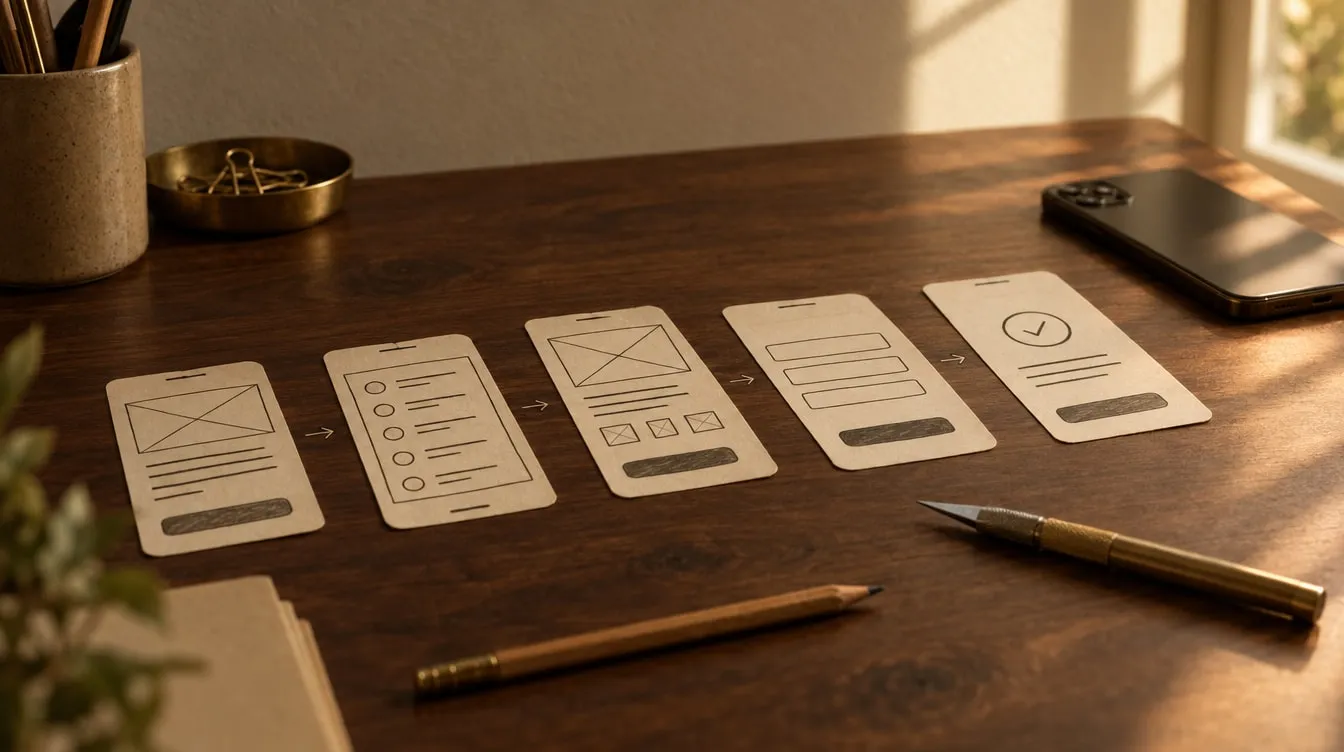
Commissioning a mobile app means narrowing the scope, sketching a prototype, building and testing, releasing on the App Store and Google Play, and keeping the app maintained after launch. The timeline is not a single figure — it is shaped by the scope of version one, the number of screens and functions, connections to other systems and how quickly feedback comes back. Below we walk through each step, with examples from our own apps, Tako and Mümin 360.
First, ask: an app or a website?
Not every idea needs an app. If people will use your product once a month, a website that works well on a phone is often enough. An app makes sense when:
- People will use the product often, as part of a daily habit,
- It needs device features such as notifications, the camera, location or the compass,
- It has to work without an internet connection,
- The business model relies on subscriptions or in-app purchases.
Mümin 360 is a good example. Prayer times are calculated from the user’s location, the qibla direction comes from the device compass and the Qur’an can be read entirely offline. None of that would work as comfortably on a web page.
The reverse is worth saying too: an app brings more responsibility than a website. Store review, operating-system updates every year and asking people to make room on their phone are all part of the job. So ask this question honestly, at the very start.
Commissioning a mobile app, step by step
1. Discovery and scope
Who is the app for, what problem does it solve, and what belongs in the first version? The real work of this step is narrowing the scope.
Version one should not do everything. It should be an MVP — a minimum viable product that solves one problem well. With Tako, the focus was clear from the outset: gather scattered subscriptions on one screen, show the monthly and yearly total, and send a reminder before each renewal.
2. Prototype
The main screens are drawn first on paper, then in a clickable prototype. Before any code is written, you try the flow on your phone and spot what is missing.
A change made in a prototype takes moments. The same change made in code can take far longer. That is why the flow is settled before development begins.
A prototype is also a good conversation piece. You can show it to a partner, an investor or a few potential users and gather first reactions. “What does this button do?” is a cheap question in a prototype — and an expensive one in a store review.
3. Development and weekly test builds
We work with a single codebase for iOS and Android: two platforms, one project, one thing to maintain. Design and behaviour stay consistent on both sides.
Throughout development, weekly test builds arrive on your phone, and we move forward with your feedback. Surprises do not wait until launch day.
4. Store release
The app goes through App Store and Google Play review. Screenshots, store descriptions, privacy details and age ratings are prepared.
The store accounts are opened in your name, and the app is published under your account. We run the submission and review process. If you want to read the rules first-hand, Apple’s App Store Review Guidelines are a good place to start. We cover the review process and the most common rejections in our article on the App Store review process.
5. After launch: releases and maintenance
Launch is a beginning, not an end. The first user feedback arrives, operating systems update every year and new devices appear.
Mümin 360 reached the App Store on 30 December 2025. It was followed by version 2.1, which added a Ramadan Centre, and then version 2.5.0, which brought a Prayer Habit Panel. An app stays alive through regular releases like these.
What shapes the timeline?
The honest answer to “how long will it take?” is: the scope. That is why we do not guarantee timelines. Once we have clarified the scope in a first conversation, the written proposal sets out a plan. The main factors are:
| Factor | Makes it longer | Makes it shorter |
|---|---|---|
| Scope | Fitting everything into version one | A first version that solves one problem |
| Screens | Many bespoke screens and interactions | Repeated, simple flows |
| Data | Servers, account systems, syncing | Data kept on the device |
| Integrations | Payments, external systems | A self-contained app |
| Languages | Copy and testing for each new language | Starting with a few languages |
| Feedback | Long approval cycles | Regular, quick responses |
| Store | Rejection and resubmission | Designing within the rules from the start |
Tako illustrates the table well. There is no account and no forced connection; data stays on the device, following a local-first approach. With no server side, privacy became the default and the structure stayed simple. On the other hand, being available in 11 languages from the first release meant thinking through every line of copy and every screen in eleven languages.
What to watch for
- Accounts in your name. Apple and Google developer accounts are like a domain name. Whoever owns the app should own the accounts.
- Source-code ownership in writing. With us, the source code is handed over at delivery on request. Ask to see this in the proposal and the contract.
- Say if you want your idea protected. We can sign a non-disclosure agreement before work begins.
- Privacy is designed in. The stores ask you to declare clearly what data the app collects. The less you collect, the simpler the declaration — and the easier it is for users to trust you.
- The business model must follow store rules. Selling digital content or subscriptions falls under in-app purchase rules. Tako’s free tier is ad-supported; extended features come through in-app purchases. That was planned from the very beginning.
- Notifications should not chase people. In Mümin 360, notifications are restrained and opt-in. The app reminds; it does not nag.
- Plan maintenance from the start. An app that is not updated after launch starts to misbehave on new operating-system releases.
Two notes from our own apps
Tako is a subscription tracker that gathers scattered subscriptions into one quiet screen. Renewal reminders, monthly and yearly totals and a single total across different currencies formed the core of version one. It is now on the App Store, in 11 languages from day one.
Mümin 360 brings prayer times, a qibla compass, a dhikr counter and the Qur’an together in one restrained app, in Turkish, English and Arabic, with full offline support. On the App Store it holds a 5.0 average across 9 ratings, and the quality users praise most is its quietness.
The lesson both taught us: deciding what version one will not do matters as much as deciding what it will.
Frequently asked questions
Can we launch on iOS and Android at the same time?
Yes. With a single codebase we can release on both platforms together, and the app looks and behaves consistently on each. For some projects, starting on one platform and adding the second after feedback also makes sense.
What determines the cost of commissioning a mobile app?
We have no price list; scope sets the cost. The main factors are the number of screens and functions, whether you need servers and accounts, integrations, the number of languages and your maintenance expectations. We clarify the scope in a first conversation and then send a written proposal.
What happens if the store rejects the app?
A rejection is usually feedback you can act on: a missing explanation, a gap in the privacy details or an overlooked rule. You read the reason, make the fix and resubmit. Building the rules into the design reduces the chance of rejection.
Who updates the app after launch?
Agree this at the start. If the source code has been handed over, your own team can carry on. If you prefer, we take on compatibility with new OS releases, bug fixes and new features through monthly maintenance.
If you would like to talk through how to turn an app idea into a first version, have a look at our mobile app development service or write to us. We reply within two business days.