
Tako
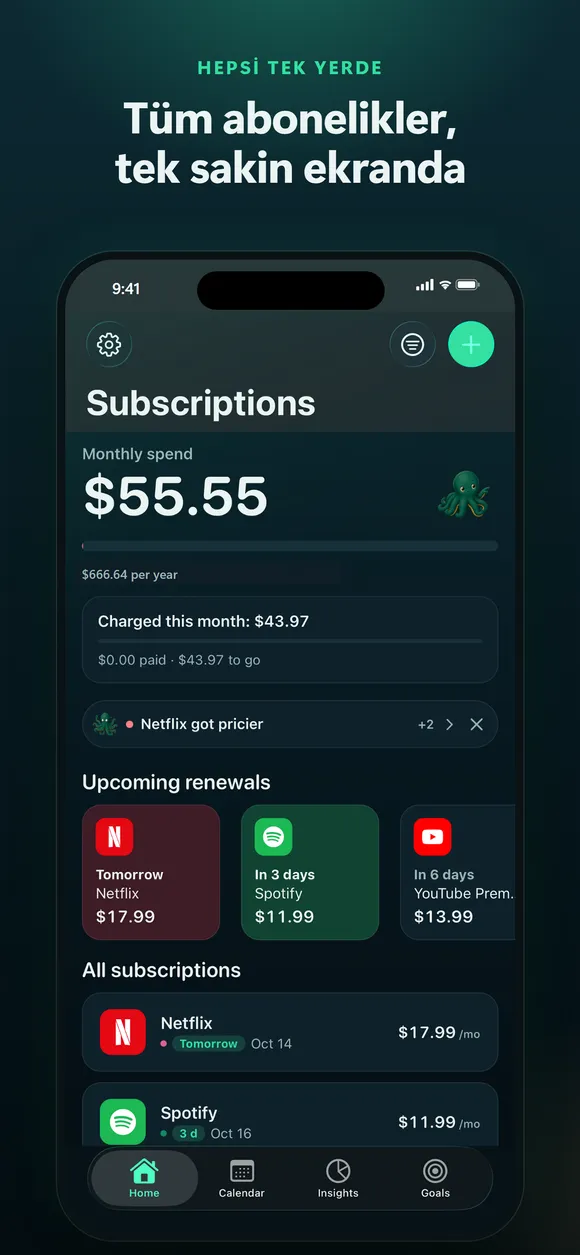
A subscription tracker that gathers scattered subscriptions into one quiet panel and keeps its data on the device.

- Status
- Live
- Year
- 2026
- Practice
- Mobile Product
- Studio
- Türk Otağ
Context
The subscription economy works in silence: the trial ends, the payment renews, nobody asks. Five separate apps, three currencies, a forgotten annual plan — the clutter only surfaces at the end of the month, on the bill. Tako began as a way to make those silent line items visible in one quiet panel.
Approach
Data stays on the device, not on a server. No account, no sign-up — privacy is the default. The widgets, Control Center controls and iCloud backup are built with iOS's own components. Every feature is free; a small ad banner keeps the app going, and a single one-time purchase removes it for good. You never need a subscription to manage your subscriptions. The mascot is an octopus that takes its name from Japanese — Tako holds every subscription at once, with all eight arms.
Specifications
- Platform
- iOS
- Yapı
- iOS · yerel veri · widget
- Rol
- Tasarım + Geliştirme
- Dil
- 11 dil
Outcome
Tako has been on the App Store since July, in 11 languages from day one. Version 1.1 dressed the app anew: the Deep Ocean design, a half-minute setup and reminders you can settle from within the notification.
Our service here Mobile app development
Features
-
Set Up in 30 Seconds
Pick the services you use from the popular ones in your country, add the price; 470+ services ready with their logos.
-
Act from the Notification
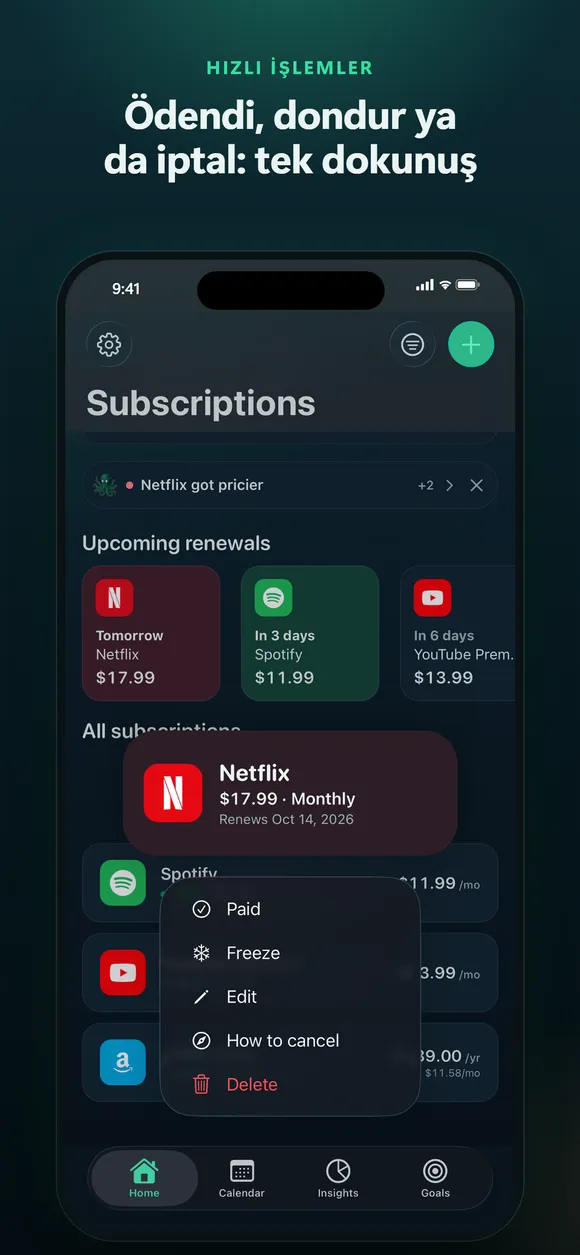
A reminder before every renewal and trial end; mark it paid, snooze it or open the cancel guide — right from the notification.
-
Widgets and Control Center
Upcoming payments on the Home Screen, Lock Screen and in Control Center, with each service's own logo.
-
Spending at a Glance
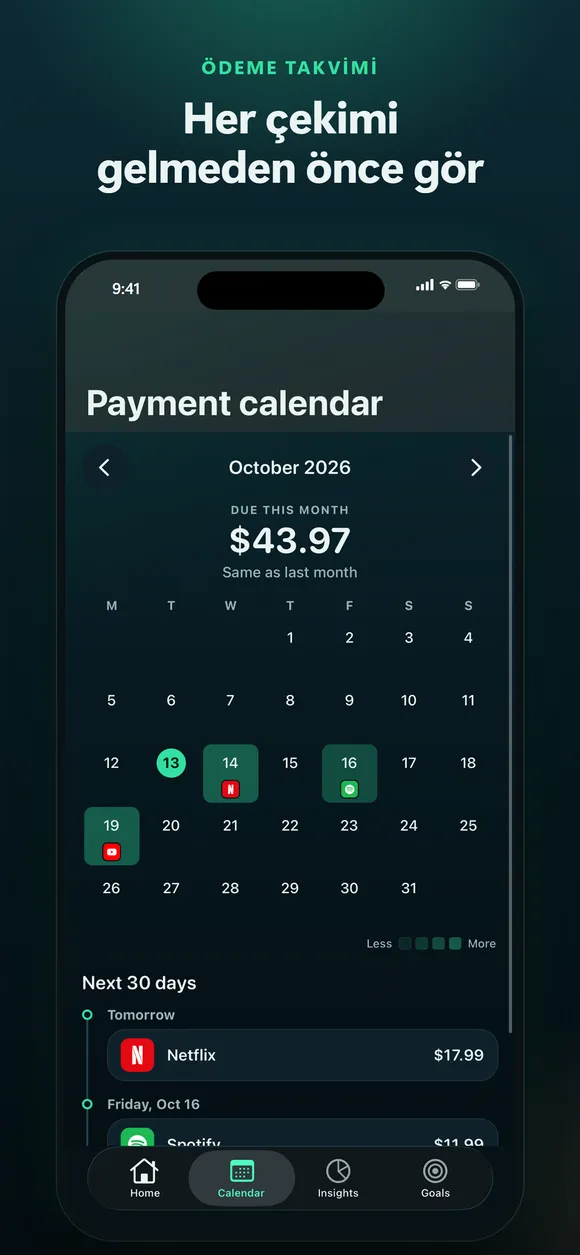
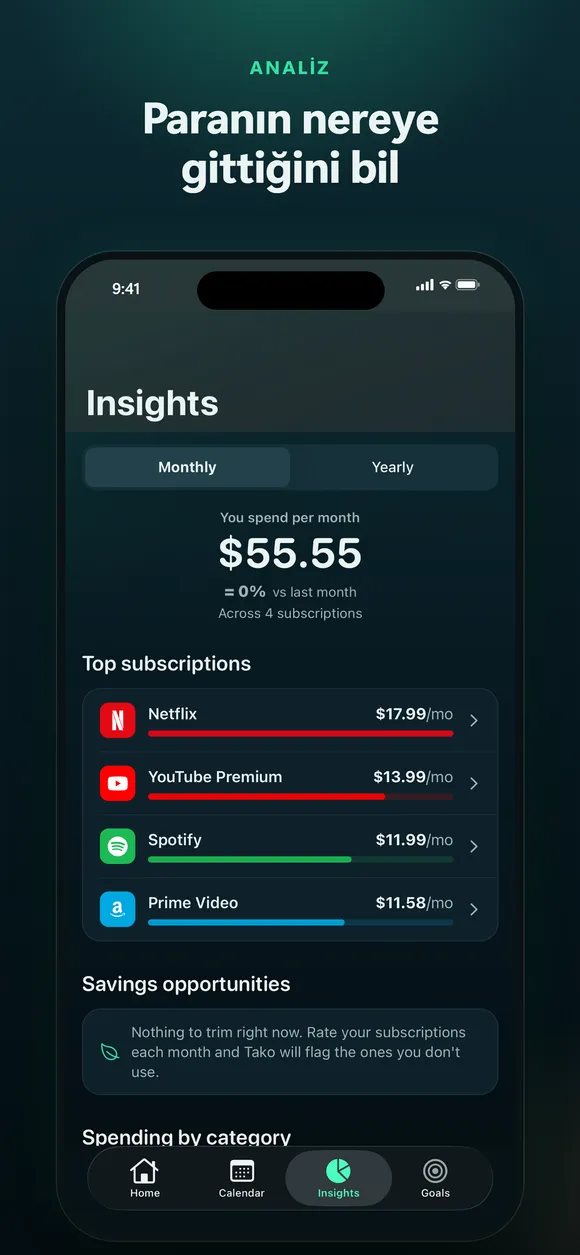
Monthly and yearly totals by category, a payment calendar, price-hike tracking, multiple currencies at live rates.
-
Local-first
Subscription data stays on the device, not on a server; iCloud backup and CSV export stay in your hands.
-
Deep Ocean Interface
A dark, calm ocean palette; a choice of app icons and an octopus that responds to a tap.
Screenshots
Version history
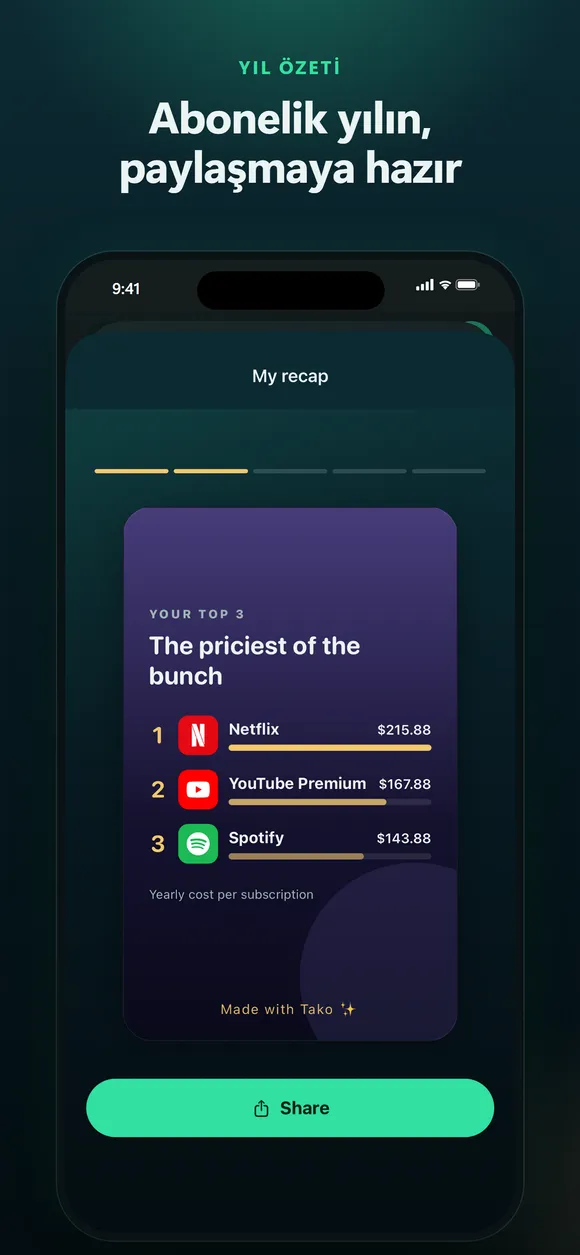
- 1.1.0 The Deep Ocean design, a 30-second setup, actionable notifications, new widgets and Control Center controls, iCloud backup, a choice of app icons and a five-chapter year in review. 2026-10-15
- 1.0 First release: subscription tracking, renewal reminders, multiple currencies, 11 languages. 2026-07-22
What we have written about it
- Mobile apps How in-app purchases and subscriptions work In-app purchases and subscriptions: App Store and Google Play rules, one-off purchase or subscription, commission, refunds and a note on tax.
- Studio note Studio note: what's new in Tako 1.1 Tako 1.1 release notes: the Deep Ocean design, a half-minute setup, actionable notifications, new widgets, iCloud backup and a five-chapter year in review.
- Studio note Studio note: why doesn't Tako ask for an account? Tako has no sign-up and no login: subscription data stays on the device. Why we made that call, what it gave us, and the price we pay for it.
- App Store Why does the App Store reject apps? The 10 most common reasons App Store rejection reasons mapped to Apple's guideline numbers: incomplete builds, demo accounts, screenshots, privacy, account deletion and more.
- Mobile apps iOS, Android or both? The single-codebase approach iOS, Android or both for your mobile app? A decision guide on audience, business model and maintenance, plus what a single codebase does and doesn't solve.
- Mobile apps What determines mobile app cost? Before you ask for a proposal What determines mobile app cost: scope, servers and accounts, integrations, platforms, languages and maintenance — plus a checklist before you ask.
- App Store App Store review process: publishing an app and common rejections Publishing on the App Store, step by step: developer account, TestFlight, how review works and the most common rejections — with a pre-submission checklist.
- Mobile apps Commissioning a mobile app: process, timeline and what to watch Commissioning a mobile app, step by step: scope, prototype, development, App Store and Google Play release, what shapes the timeline, and care after launch.
- Local-first Local-first apps explained: what they are and when to choose one What is a local-first app? How keeping data on the device first affects speed, privacy and sync — and which products it suits, with Tako as an example.
Agreements
- Privacy Tako — Privacy Policy Privacy policy for the Tako subscription tracker — data stays on the device, no backend, no account system; optional iCloud backup; AdMob and RevenueCat as third-party services.
- Terms Tako — Terms of Service Terms of service for the Tako subscription tracker — the service, local data, reminders, the Remove Ads purchase, advertising, acceptable use and liability.
- License Tako — End User Licence Agreement (EULA) End user licence agreement for the Tako application — licence scope, data consent, purchases, warranty, Apple's minimum Licensed Application terms and third-party beneficiary provisions.
Tako, on the App Store.
No account, no sign-up; your subscriptions live on your device, in one quiet screen. Every feature is free.
iOS · Free · In-app purchases